A new logo is a big milestone, and a rushed reveal can waste it. Use this checklist before launching a new logo to catch the problems that usually show up after the announcement: missing files, a blurry favicon, or an old version still sitting on your invoices.
Work through the nine steps in order. Most take minutes, and together they make sure your first impression is the one you planned.
Checklist Before Launching a New Logo at a Glance
| Step | What to check | Done when |
|---|---|---|
| 1. Final files | All formats and versions saved | You can open every file you need |
| 2. Real-world tests | Small sizes and dark backgrounds | The name stays readable |
| 3. Guidelines | Colours, clear space, minimum size | One page anyone can follow |
| 4. Originality | Compared with competitors | No close lookalikes |
| 5. Platforms | Website, social, email, listings | Same logo everywhere |
| 6. Documents and print | Invoices, packaging, signs, uniforms | Old logo removed from stock |
| 7. Reveal plan | Date, message, announcement | Customers hear it from you first |
| 8. Team and partners | Everyone has the new files | No one uses the old version |
| 9. Archive | Old logo stored safely | Nothing lost for records |
1. Collect and Organise the Final Files
Make sure you have every version you might need before anyone asks for it. Missing files cause most of the last-minute stress on launch day, so they come first in any checklist before launching a new logo.
- Formats: SVG for web and scaling, PNG with a transparent background, and PDF or EPS for print.
- Versions: full colour, black, white and one-colour.
- Layouts: horizontal, stacked and icon-only.
Save them in clearly named folders, for example “logo-horizontal-white.svg”, so no one has to guess.
2. Test the Logo at Small and Large Sizes
Look at the logo the way customers will: on a phone, in a browser tab, on a dark background and on a printed card. Shrink it to about 32 pixels wide and check that the name or mark is still clear.
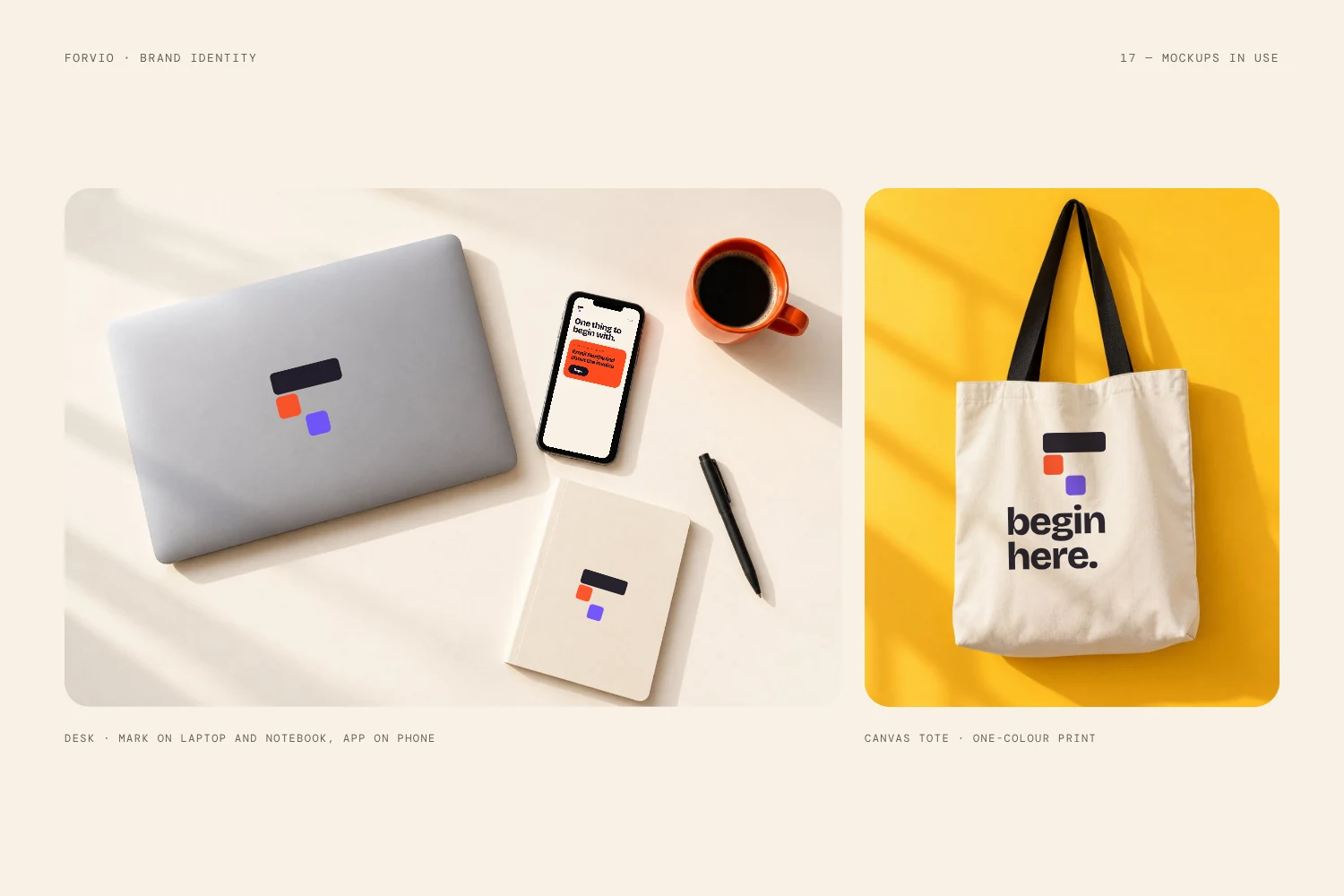
The Oreon mark below stays readable even on a small device, which is the kind of test every new logo should pass.

3. Write Simple Brand Guidelines
Your logo is part of a system, so record the rules while the design is fresh. A single page is enough to start. Include the colour codes (HEX, RGB and CMYK), the fonts, the minimum size, the clear space around the logo and the approved background colours. This also makes it easier to brief printers, developers and freelancers later.
4. Confirm the Logo Is Original
Before you spend money on a launch, check that your logo is not too close to another business in your field. Follow our guide to check if your logo is original, and compare the mark with competitors side by side.
This is general guidance, not legal advice. For trademark questions, speak to a qualified professional.
5. Update Every Platform on the Same Day
This is the step of the checklist before launching a new logo where most brands slip. Nothing weakens a launch like a half-changed brand. Replace the logo everywhere customers can find you at the same time:
- Website header, favicon and social sharing image
- Social profile pictures and cover images
- Email signatures and newsletter templates
- Online marketplaces, directories and business listings
6. Replace the Old Logo in Documents and Print
Go through everything that carries your logo: invoices, proposals, packaging, signs, uniforms and printed stationery. Update the digital templates first, then decide what to reprint now and what to replace as stock runs out. Remove old files from shared folders so no one picks the wrong one.
7. Plan the Reveal
The reveal is the last big step of the checklist before launching a new logo. A new logo works best when people understand why it changed. Choose a launch date, write a short announcement and prepare a few images that show the logo in use. Tell your existing customers first, then share it publicly. Keep the message simple: what is new, what stays the same and what it means for them.
8. Brief Your Team and Partners
Send the final files and your one-page guidelines to everyone who uses your brand: staff, freelancers, printers and partners. Ask them to switch by a set date. A short message with a download link prevents most mistakes.
9. Archive the Old Logo
Keep the old logo in an archive folder for records, portfolio use and old documents. Label it clearly so it is not mistaken for the current version.
Mistakes That Ruin a Logo Launch
Skipping parts of a checklist before launching a new logo is how most launches go wrong. Even a strong design can lose impact if the launch is careless. Watch for these common problems:
- Launching before testing. Problems found after the reveal are harder to fix.
- Changing only some platforms. A mix of old and new looks unprofessional.
- No files for the team. People then use screenshots or low-quality copies.
- Skipping the explanation. Customers notice the change faster than they understand it. If you are unsure whether the new design is ready, read the signs your logo is damaging your brand.
Checklist Before Launching a New Logo: FAQ
What should I do before launching a new logo?
Work through a checklist before launching a new logo: collect all file versions, test the logo at small and large sizes, write simple guidelines, confirm it is original, and prepare every platform and document for the switch.
Which logo file formats do I need?
At minimum, SVG for web, PNG with a transparent background for everyday use, and PDF or EPS for print. Ask for colour, black and white versions as well.
How long does a logo launch take?
It depends on how many platforms and printed items you have. Most businesses can update digital channels in a day if the files are ready, and replace print as stock runs out.
Should I announce a new logo or just change it quietly?
A short announcement usually works better. It shows customers the change is deliberate and explains why it happened.
Ready to Launch With Confidence?
If your logo is not final yet, we can help. Browse the logo shop for an exclusive ready-made mark, or start a project for a custom identity. Not sure who to work with? Read how to choose a brand designer who understands your business, or email hello@logofarmers.com.